

trigger.config.ts file. This is generated for you when you follow the quick start guide. This file is used to configure your project and how it’s bundled.
trigger.config.ts
Instrumentations
We use OpenTelemetry (OTEL) for our run logs. This means you get a lot of information about your tasks with no effort. But you probably want to add more information to your logs. For example, here’s all the Prisma calls automatically logged: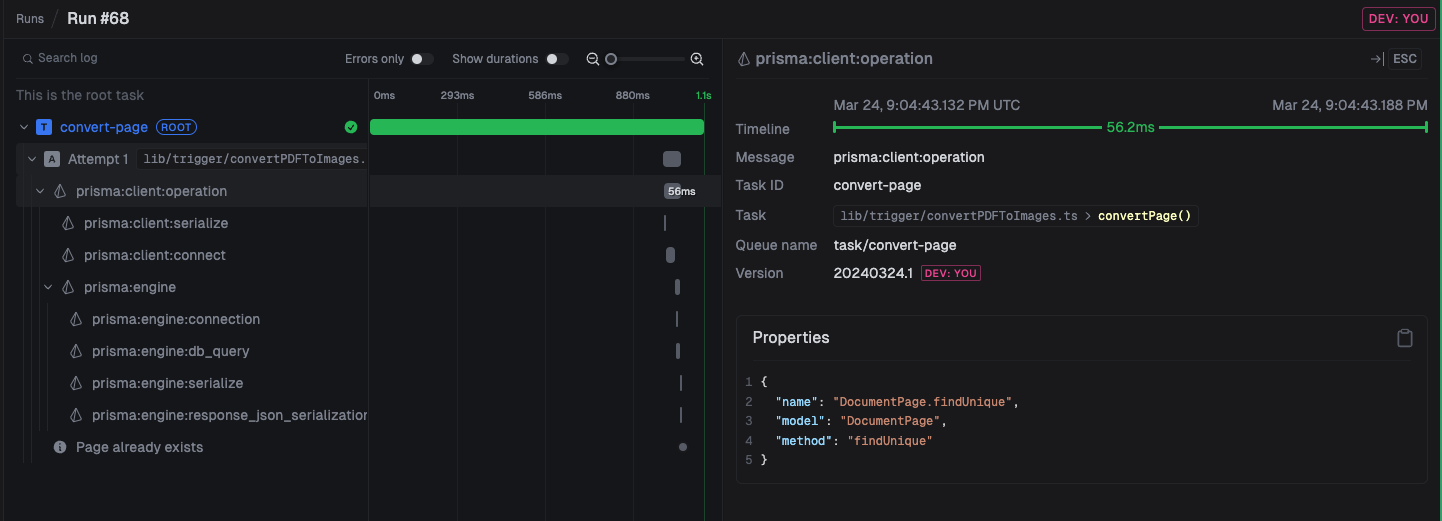 Here we add Prisma and OpenAI instrumentations to your
 trigger.config.ts file.
trigger.config.ts
ESM-only packages
We’ll let you know when run the CLI dev command if this is a problem. Some packages are ESM-only so they don’t work directly from CJS when using Node.js. In that case you need to add them to thedependenciesToBundle array in your trigger.config.ts file.
trigger.config.ts
Prisma (and other generators)
The Prisma error you might see
The Prisma error you might see
prisma.schema file. This means you need to do a couple of things to get it to work with Trigger:
1
package.json postinstall `prisma generate`
postinstall will be run as part of the install step. This is how Next.js recommends you set up Prisma anyway.2
Add prisma and the schema to trigger.config.ts
trigger.config.ts